
How do I cancel my subscription?
By Anurag
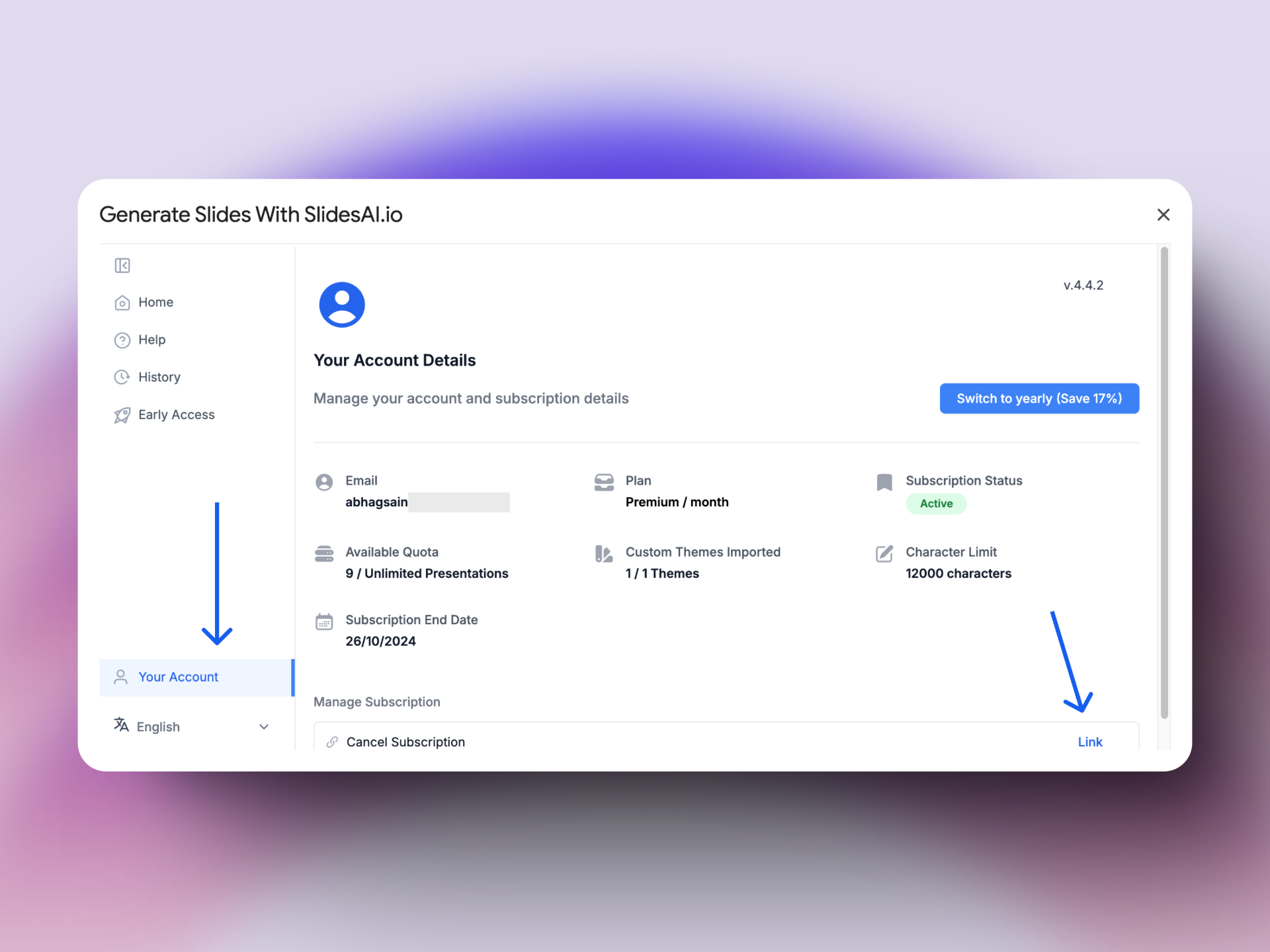
You can cancel your subscription with one click via “Your Accounts “ in the SlidesAI addon.
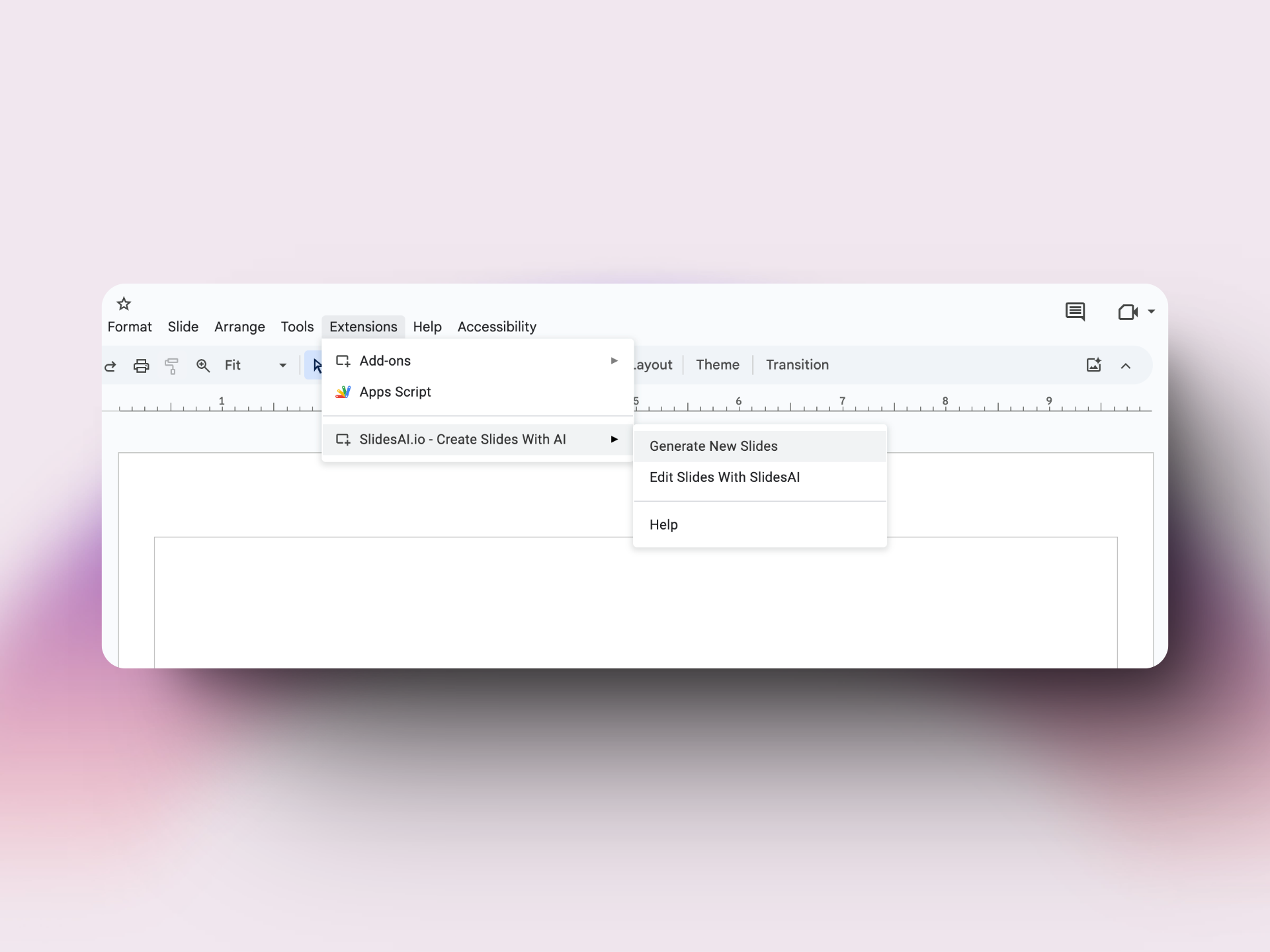
- To open the app, create a blank presentation using slides.new or open an existing presentation.
- Open SlidesAI app via Extension → Generate New Slides.
- Navigate to Your Account in the sidebar.
FAQ
I don’t see a cancel subscription button in the app
If you subscribe to a paid plan but don’t see a cancel subscription button in the app, It is most likely because you’re logged into a different Gmail account.
Please make sure you’re logged into the correct Gmail account. Each SlidesAI subscription is linked to a Gmail account.
If you’re logged into multiple Gmail accounts in your browser, please try incognito mode and follow the above steps.
Reach out to Support
If you’re facing issues. Please feel free to reach out to us at support@slidesai.io
Updated on: 06/01/2026
Thank you!